 threadform3d
3D clothing mockups
Present your clothing designs in 3D.
Bring a clothing idea off the flat canvas. Use the garment library to preview graphics, fabric colors and different silhouettes, then present individual designs or a collection together.
Explore clothing templates →Start free with the Classic T-shirt. Compare plans and export options.
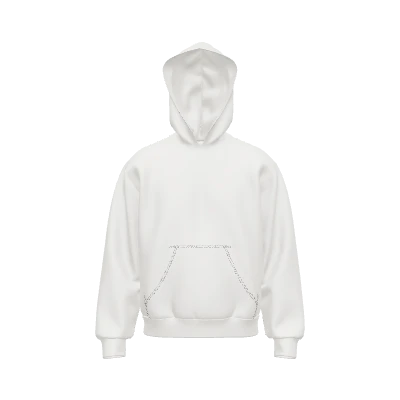
From one garment to a collection
Find the silhouette
Browse Essentials and Streetwear for T-shirts, hoodies, sweatshirts, shorts, joggers and vests. Start with the free Classic T-shirt or choose a plan that includes the wider garment library.
Develop each design
Apply artwork and text, customize fabric colors, and use the available wash and graphic effects. Check each garment from the front, back and side.
Save and organize
Save designs into a named collection. Collection view brings the saved garments together so you can review the range as a whole.
Create a consistent presentation
Use a shared background, lighting and framing. Export an image or use the collection video tools, according to your plan.
Make the collection easy to read
Use a consistent scene when comparing different silhouettes or color choices. A quiet background makes the clothing easier to judge, while a shared camera angle helps viewers understand how the designs relate. Keep your editable designs in a collection so you can return to individual garments after reviewing the group. Mockups communicate appearance; they do not replace physical samples, size specifications or a production tech pack.
Watch the getting-started video tutorial, or visit support if you need help.
Before you start
Which clothing can I customize?
The library includes T-shirts, hoodies, sweatshirts, shorts, joggers, vests and long-sleeve styles across Essentials and Streetwear. Garment access depends on the selected plan.
Can I show several designs together?
Yes. Save your designs into a collection and open collection view to present the garments together. The existing export panel works for the collection.
Are my editable files and exported images the same thing?
No. An editable design keeps the garment settings and artwork for later changes. Exported images and videos are presentation files downloaded to your device. Cloud saves depend on your plan.